A Policy Agent That Runs on Microsoft 365: Stop Answering the Same Question Twice

Answer the routine questions automatically, route the real ones properly — built on the Microsoft 365 you already own, with no new software to procure.

Every company has policies, and almost no one reads them. In practice, when people are unsure they do one of two things: they ask someone in legal, or they guess. The first floods a small team with the same handful of questions — NDAs, gifts and hospitality, travel rules, signing authority. The second is precisely the risk the policies were written to prevent. What is missing is not more documentation. It is a place to ask.

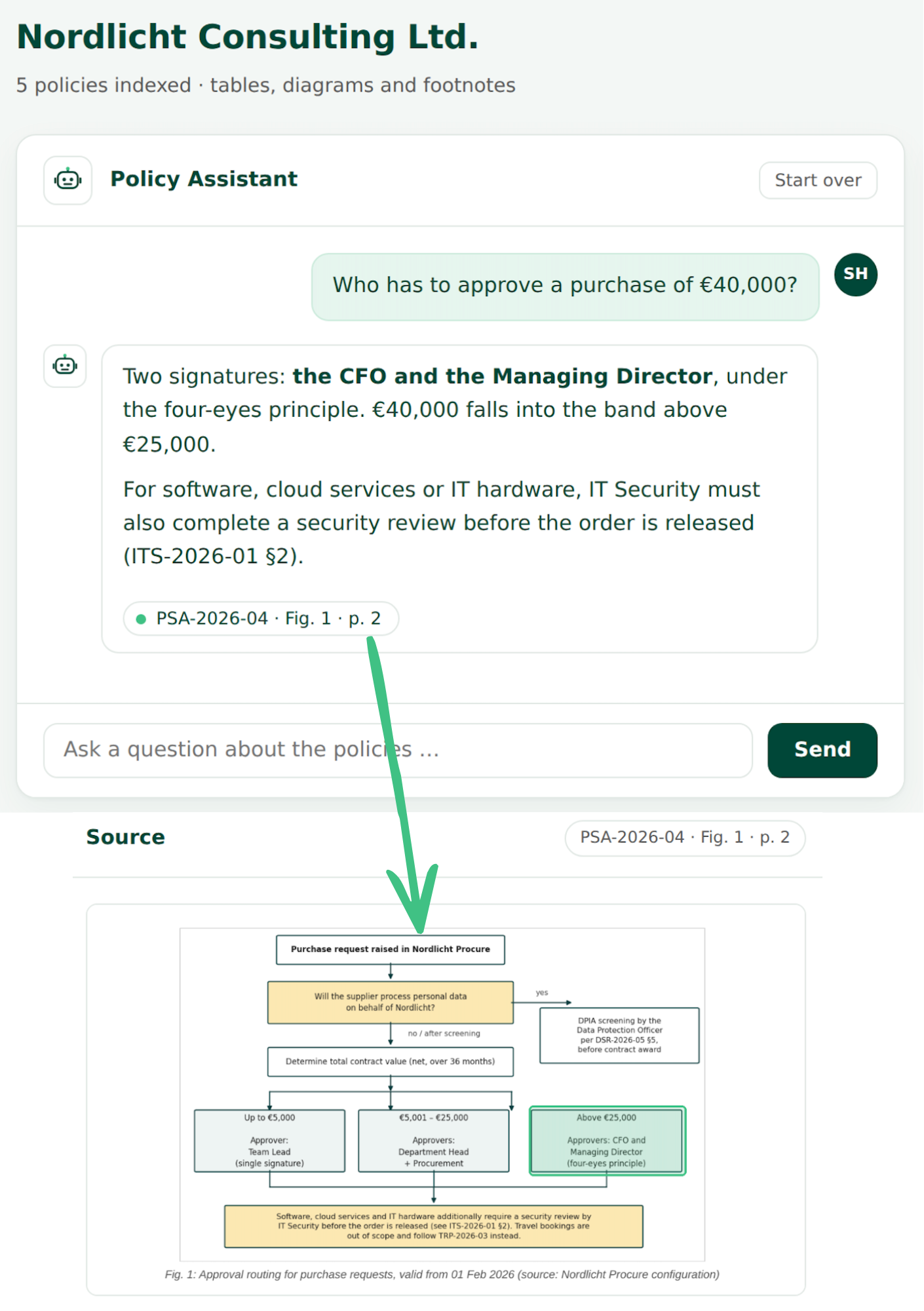
That is what our Policy Agent provides. Your legal or compliance team uploads the applicable policies to a library in Microsoft; from there, anyone in the organisation can ask a question in plain language and get an answer drawn strictly from those documents, with a link to the passage it came from. Where the policies do not cover the question, the agent says so rather than filling in the blanks. The person asking can verify the answer in seconds against the original.

For the legal team, this is about more than a quieter inbox. What genuinely needs a legal decision now arrives in one place, with the relevant detail supplied by the person asking, and assigned straight away — with a due date, trackable and countable. And the solution is robust against the tables, annexes, scans and other formatting traps that policy documents are full of. All of it inside your own Microsoft 365, cut to fit your process.

Beckman CoulterThe logo of StihlFintelTHe logo of EnBWHellmann Worldwide LogisticsVaillant Group

Key Benefits

  • Fewer repeat questions: routine cases are answered on the spot, around the clock
  • Every answer verifiable: the policy is quoted and linked, not recalled from memory or invented
  • Nothing gets lost: what the agent cannot resolve becomes a structured request with an owner and a status
  • Numbers at last: which topics are asked about, how often, and from which part of the business
  • Your policies as they are: long PDFs, tables, annexes and scans
  • Your rules: which library it draws on, who may ask, how open requests are routed and prioritised
  • Ready in weeks, on the Microsoft 365 and Azure you already run — with no new software to procure
See the Policy Agent in Action
Book a Demo

We would be glad to show you in a short call how the Policy Agent works on your own policies. Just leave your contact details and we will get back to you shortly.

Thank you!
We'll reach out to you with further information
Oops! Something went wrong while submitting the form.

Our Policy Agent in Detail:

Built on Microsoft 365 — Isn't This Just Copilot?

The solution is built on Microsoft 365 and Azure — the platform you already run: no new software product, no procurement process, no cloud risk assessment. That is what makes such a short implementation possible in the first place. Your policies stay in your own SharePoint library and your own Azure subscription; they are not used to train any model, and processing runs in the region you specify. Access follows your existing identity management, so the same rules that govern the rest of your Microsoft environment govern this one. And where your data protection officer needs to review Microsoft's processing terms for the AI services involved, we prepare that review with you at the start of the project.

So isn't this just Copilot? In part, yes — deliberately. We build on Microsoft's own components rather than developing a system from scratch. That is why the solution is quick to stand up, inexpensive to run, and, as a rule, unproblematic for IT governance. You are not buying a black box from a small supplier; you are letting your own Microsoft environment take on a specific job.

The difference sits between your documents and the answer. Pointing a standard assistant at a policy folder is convincing in a demonstration and disappointing in practice, because real policy libraries are full of edge cases:

  • Tables run across several pages and lose their headings — a threshold is read against the wrong column
  • The rule that actually applies sits in an annex, not in the main text
  • Signing-authority matrices consist of almost nothing but tables
  • Scanned attachments have no text layer
  • Three near-identical versions of the same document sit side by side, and only one is in force

Each of these produces an answer that looks entirely correct and can still be wrong. That is exactly what our work deals with: how documents are divided up, how tables keep their context, how scans are read, how versions are told apart, and how every answer is tied back to the passage it came from.

Verifiable Answers, Only From Documents You Are Cleared to See

The agent answers only from the policies you make available to it. It does not draw on the open internet and does not fall back on general knowledge: where your documents do not cover a question, it says so instead of producing something that merely sounds plausible. Every answer names the policy it relies on and links to the relevant passage, so it can be checked in seconds — and the agent explicitly invites that check.

This is also our answer to the reasonable objection that an AI should not be making compliance decisions. In our system it does not: it reads, it finds the relevant passages, and it summarises them. The decision stays with a person. We think that is progress on the status quo — a user who, as a rule, never opens the policy at all.

Permissions

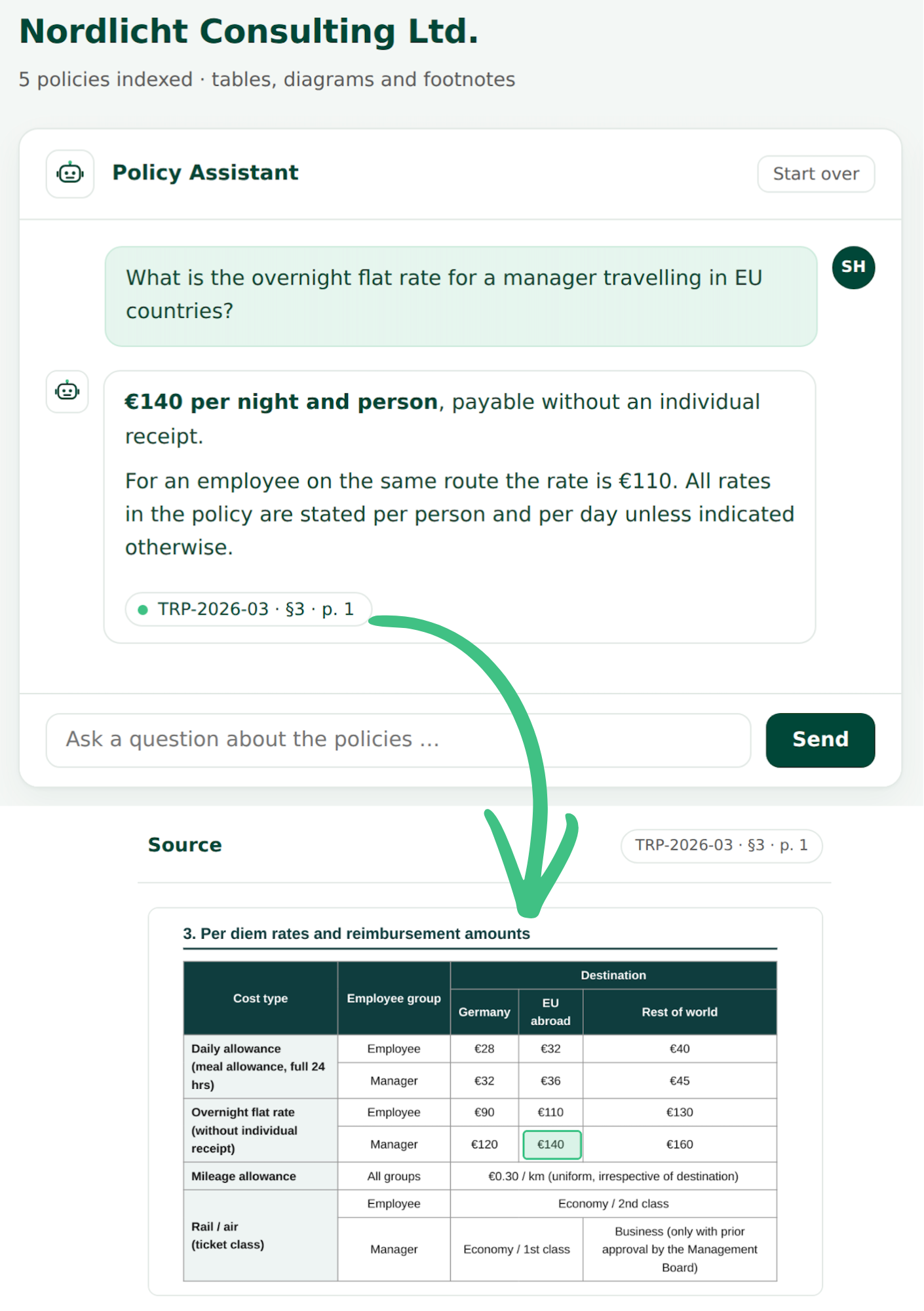
Not every policy applies to everyone. Travel rules differ by country, approval thresholds differ by level, and some guidance is intended for management or for a single entity rather than for the whole workforce. The Policy Agent reflects that: each document in the library carries attributes — country, entity, function, level — and every question is answered only from the documents that apply to the person asking. Someone working in the Austrian entity gets the Austrian travel policy; a team lead gets the approval limits that apply to their role. Documents outside a person's scope are not merely hidden from the answer: they are never searched in the first place.

None of this requires a second permission model to maintain. The attributes come from the directory you already run, so a change of role or location takes effect in the agent without anyone keeping a separate list. Citation links behave the same way: they open in SharePoint with the reader's own permissions, so a link can never expose a document the reader is not entitled to see. In practice, most organisations start with the policies that apply to everyone and add the restricted sets once the first ones are running — which is also the safer sequence, because it keeps the initial review short.

What Happens to the Questions the Agent Cannot Answer

Some questions need a lawyer, and they should reach one quickly. Where an answer does not settle the matter, the person asking says so in the same window and, when prompted, supplies the missing context. An automated flow then files the request in a SharePoint list, together with the original question, the context supplied and the policies already consulted. From there your own process takes over — assigned by topic or by team, prioritised, given a due date, tracked to an answer. Nothing sits unnoticed in a personal inbox, and every request is countable. After a quarter you know which topics generate the most work, and where a clearer policy, a template or a short briefing would remove the question altogether.

How a Project Runs

We begin with the process you have: how policy questions reach your team today, who answers them, and what happens to the ones that need more than a quick reply. Where the process itself is worth improving, we say so rather than automating it as it stands — but that remains your decision, not a condition.

We then agree a benchmark: a set of real questions together with the policy passages that hold the correct answers. That is how we demonstrate the quality of the Policy Agent specifically on your own documents, and the benchmark is re-run after every change. Implementation itself is relatively quick, because the platform is already in place; most of the time goes into testing against the benchmark and adjusting. For the launch we stay closely involved, since the first few weeks decide whether the solution gets used. After that we hand the solution over to your team, or take on long-term support if you prefer.

Pricing

What the implementation costs depends on the size and condition of your policy library, and on how far the intake process is integrated into your existing tools. We discuss this openly with you up front, and we give you a firm figure once we have had a first look at your policy library. As a guide:

  • Implementation is a one-off project rather than a product licence: you pay for the build, not per employee and not per year
  • The only running cost is your own Azure consumption for search and AI services. For a policy library of typical size that starts at a few euros a month and grows with actual use — an amount the time saved outweighs many times over
  • Depending on your existing agreement, individual features may require an upgrade to your Microsoft licensing (for example Power Automate Premium or Copilot Studio capacity); what that costs depends on your current model and we establish it with you before the project starts
  • Later changes to the policy set or the intake process are billed by effort — or we train your team to make them themselves
Three NodeMasters co-founders (Thom, Steffen & Wolfgang) stood in a line in front of an exposed concrete background, dressed in sweaters and white shirts, smiling at the camera.

Tell us your bottleneck…

Whether you're looking at AI & automation for the first time or need expert support with your existing technologies, we can help.